 retropie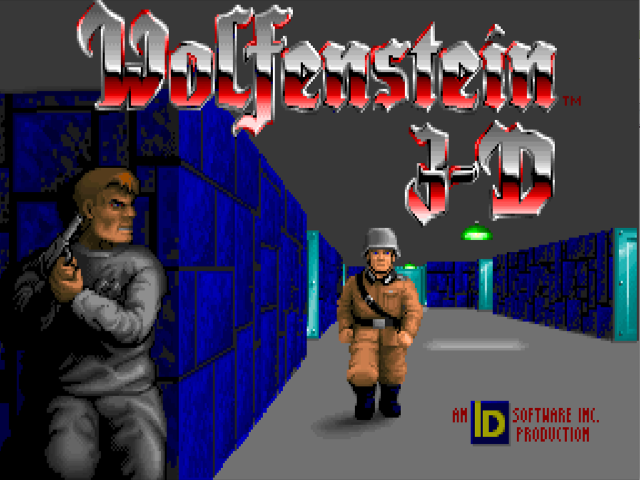
Wolfenstein 3D is a first-person shooter video game developed by id Software and published by Apogee Software in 1992 for the PC operating system DOS.
Port: Wolf4SDL
Wolf4SDL can be installed from the optional menu of the RetroPie setup script. By default, the shareware/demo versions of Wolfenstein 3D and Spear of Destiny will be installed, but if the proper .wl6/.sd1/.sd2/.sd3 files from the commercial version are copied beforehand, the installation will add launch entries for the full version of the games. Check the next section for which files from the commercial version are needed and where they can be acquired.
After the installation, EmulationStation should be restarted for the new Wolfenstein game(s) entries to show up under the Ports system.
The following games are supported:
- Wolfenstein 3D and it's Demo
- Wolfenstein 3D - Spear of Destiny, episodes 1 to 3 and it's Demo
Playing the full version
To play the full version of Wolfenstein 3D with Wolf4SDL, you need to provide your own game data which can purchased from Steam, GOG.com or 3D Realms.
The game data required are the files with *.wl6 extension (see below for list). Place them in
/home/pi/RetroPie/roms/ports/wolf3d
then install (or re-install, if you already did an installation) the wolf4sdl port from RetroPie-Setup so that the proper game entries are added in the ports system.
Troubleshooting
If you are getting NO WOLFENSTEIN 3-D DATA FILES to be found! or NUMCHUNKS errors or you are not sure which version of game data you have, then check your game data by finding the md5 checksums. To do this, once you have placed your game data in the rom folder and made sure the file names are lower case, run the following commands:
cd RetroPie/roms/ports/wolf3d
md5sum *.wl6
The md5 checksums for supported game data are as follow:
- 3D Realms (Apogee 1.4)
a41af25a2f193e7d4afbcc4301b3d1ce  audiohed.wl6
2385b488b18f8721633e5b2bdf054853  audiot.wl6
a4e73706e100dc0cadfb02d23de46481  gamemaps.wl6
b8d2a78bc7c50da7ec9ab1d94f7975e1  maphead.wl6
adb10b0d6fdddba9fcc3d1a7c16937e7  vgadict.wl6
4e96d7b4e89a5b3a4beeebf5d7d87eb7  vgagraph.wl6
a08905e2b0d299b3fad259f90c0efb1a  vgahead.wl6
a6d901dfb455dfac96db5e4705837cdb  vswap.wl6
- Steam/GOG.com (GT/ID/Activision/Bethesda)
a41af25a2f193e7d4afbcc4301b3d1ce  audiohed.wl6
2385b488b18f8721633e5b2bdf054853  audiot.wl6
a4e73706e100dc0cadfb02d23de46481  gamemaps.wl6
b8d2a78bc7c50da7ec9ab1d94f7975e1  maphead.wl6
dec8939cff5a4ec27ae7b43e8f52ec28  vgadict.wl6
8b40b5b785f898e229bf1c2f2e3ee003  vgagraph.wl6
8e75e3ffb842ed3d08abe6ffea97b231  vgahead.wl6
b8ff4997461bafa5ef2a94c11f9de001  vswap.wl6
- Spear of Destiny (Steam/GOG.com)
- Episode 1
6e914d15335125872737718470061ad8  audiohed.sd1
10020fce0f04d21bd07b1b5b951c360a  audiot.sd1
04f16534235b4b57fc379d5709f88f4a  gamemaps.sd1
276c79a4a6419db6b23e7699e41cb9fa  maphead.sd1
30b11372b9ec6bc06289eb3e9b2ef0b9  vgadict.sd1
3b85f170098fb48d91d8bedd0cac4e0d  vgagraph.sd1
fb75007a1167bba05c4acadf90bc30d8  vgahead.sd1
b1dac0a8786c7cdbb09331a4eba00652  vswap.sd1
- Episode 2
6e914d15335125872737718470061ad8  audiohed.sd2
10020fce0f04d21bd07b1b5b951c360a  audiot.sd2
fa5752c5b1e25ee5c4a9ec0e9d4013a9  gamemaps.sd2
d55508cd58e2e61076ac81b98aeb9269  maphead.sd2
30b11372b9ec6bc06289eb3e9b2ef0b9  vgadict.sd2
3b85f170098fb48d91d8bedd0cac4e0d  vgagraph.sd2
fb75007a1167bba05c4acadf90bc30d8  vgahead.sd2
25d92ac0ba012a1e9335c747eb4ab177  vswap.sd2
- Episode 3
6e914d15335125872737718470061ad8  audiohed.sd3
10020fce0f04d21bd07b1b5b951c360a  audiot.sd3
29860b87c31348e163e10f8aa6f19295  gamemaps.sd3
a8b24dd3d3271e0b7fc6f2f995915f27  maphead.sd3
30b11372b9ec6bc06289eb3e9b2ef0b9  vgadict.sd3
3b85f170098fb48d91d8bedd0cac4e0d  vgagraph.sd3
fb75007a1167bba05c4acadf90bc30d8  vgahead.sd3
94aeef7980ef640c448087f92be16d83  vswap.sd3
/// info | Note
If your Spear of Destiny installation is missing the .sdX files, rename the .sod files from each episode so they have the corresponding extension (.sd1 for Episode 1, .sd2 for Episode 2, .sd3 for Episode 3).
Re-install or insatll wolf4sdl after you rename the files in order for the correct Spear of Destiny game entries to appear in Ports.
///
If you have game data files that do not match the MD5 sums above, but are still valid, then please post the files and their checksums over at the RetroPie Forum.
Copyright the RetroPie project and its contributors. Distributed under the upstream GPLv3 license, with original notices retained.
Adapted for this site's presentation: sanitized HTML, local links, heading anchors, and external illustration links. Original Markdown · Pinned upstream source · Upstream website